Shuttle: Dev console redesign with a system that supports real-world workloads.
2025
shuttle.devTL;DR
Redesigned Shuttle’s console to make core workflows clearer and more consistent with a cohesive, scalable design system.
Shuttle is a deployment platform where your infra lives in code, but the console is where you actually see what’s running. Over time, the old console became a bit of a Frankenstein with features bolted on, states handled ad-hoc, and a UI that didn’t really match the maturity of the platform itself. Design work meant constantly asking: “Which of these 62 slightly different styles is the least wrong?”
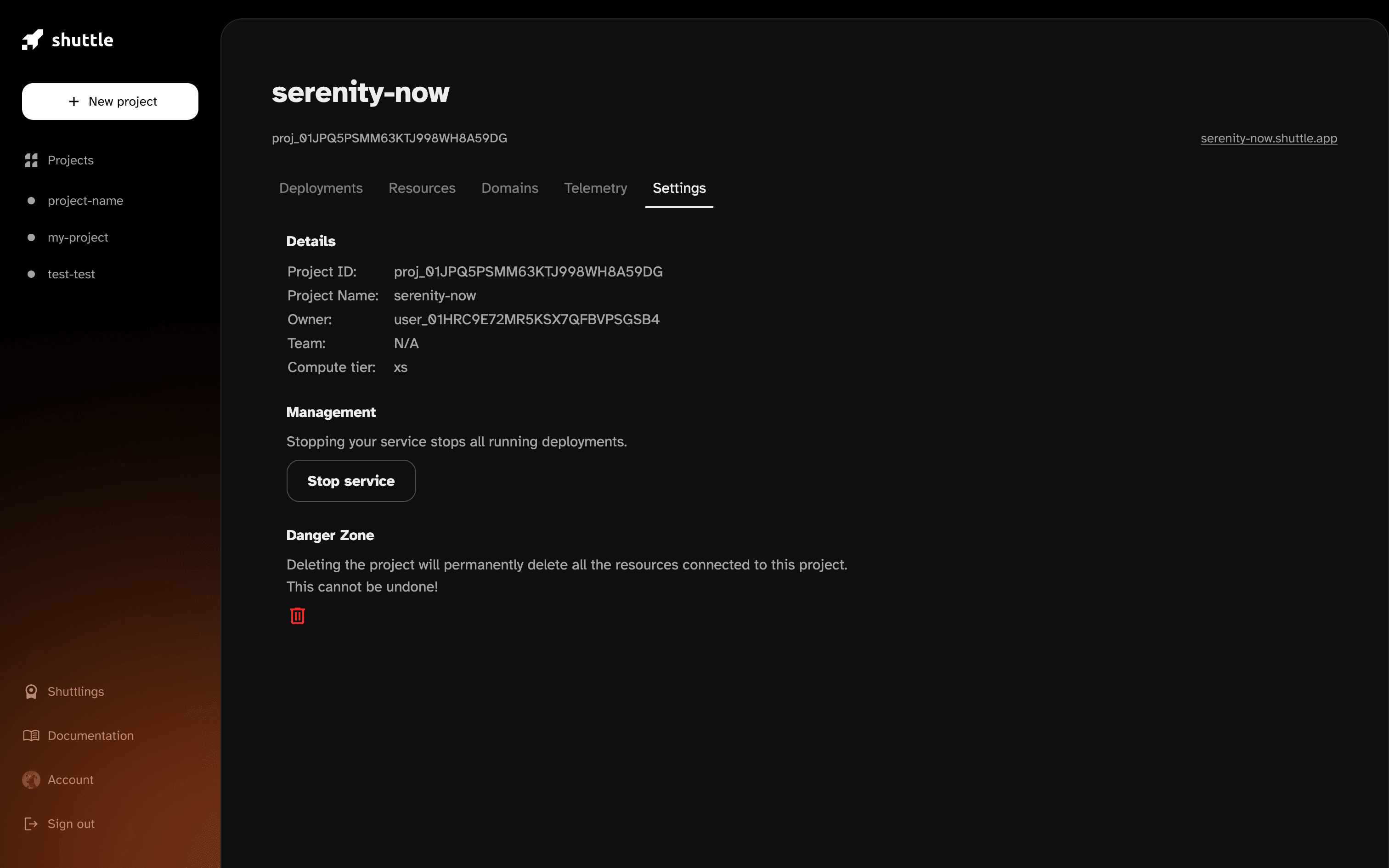
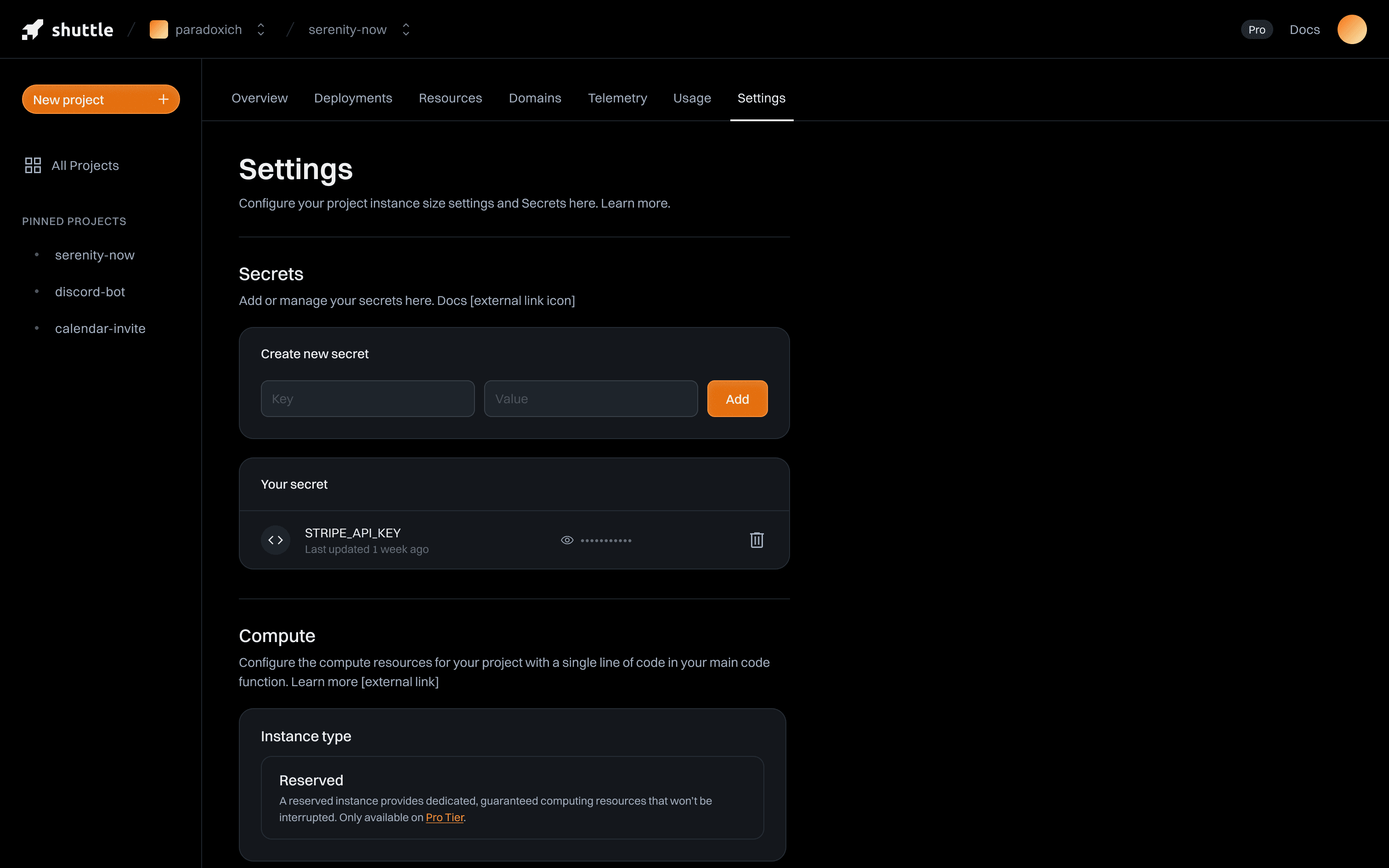
Before / after: The old console technically did the job, but didn't scale.
What wasn't working
From user feedback, support threads and internal dogfooding, a few themes kept repeating:
- Important features (resources, domains, secrets) were hard to find.
- Workflows felt different from page to page — a sign of features being added without a stable design system underneath.
- For teams running many projects, the console didn't really scale. It was easy to get lost in deployments and states.
- Visually, the UI didn't match the maturity of the platform itself — it looked more “early beta” than “production ready”.
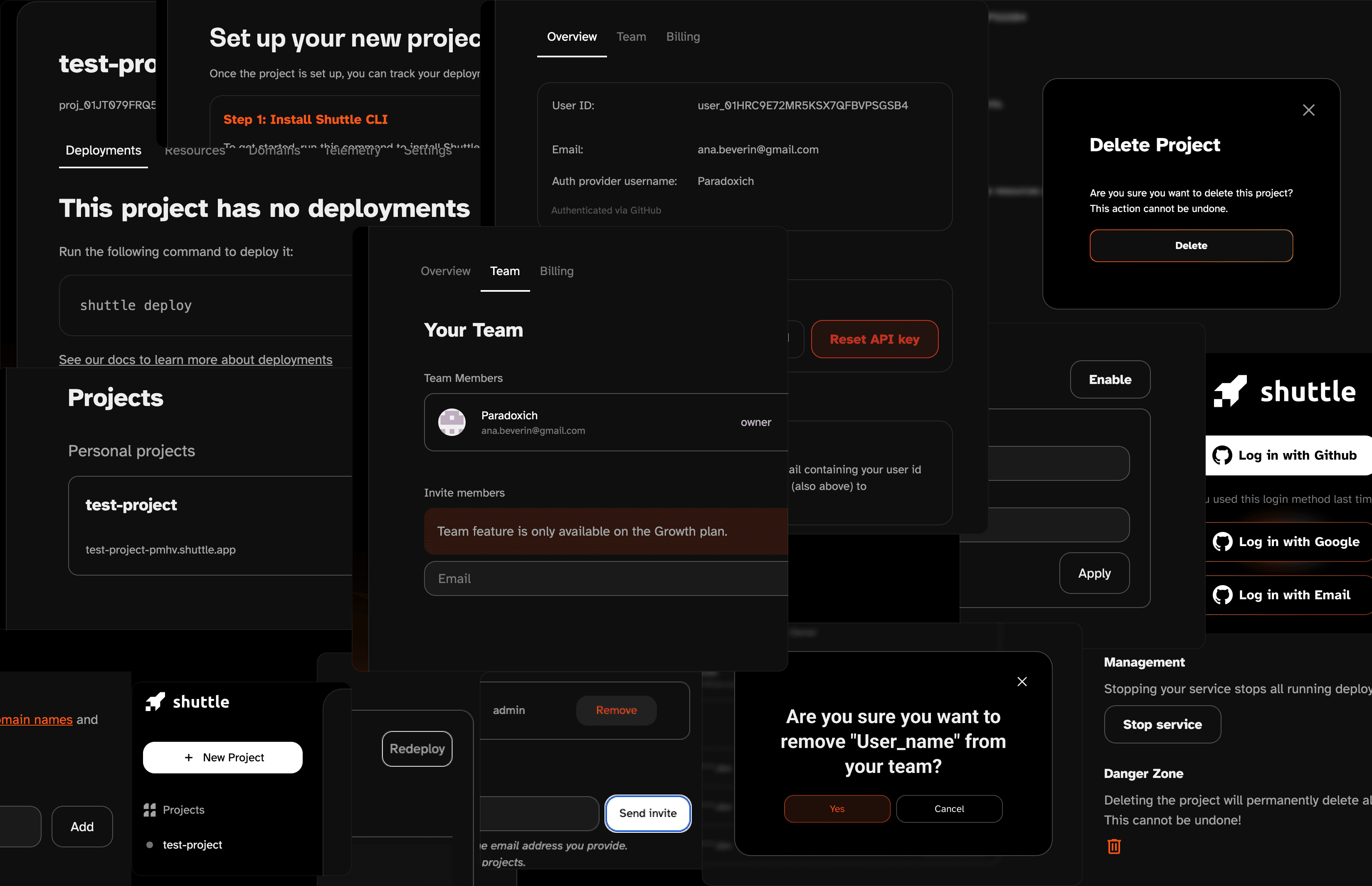
On the design side, there was another quiet villain: visual debt. No single catastrophic decision, just years of small, slightly different choices. Every time you touched a screen, you had to decide which button, which border, which gray, which radius you were going to pretend was “the real one”.
Product moves
The redesign wasn't just about fresh paint, it was about making key workflows obvious and predictable:
- Project overview became the home base: deployments, resources, domains and quick actions all live in one place.
- Deployments now highlight the important bits: commit message / ID, environment, status, plus full-screen logs when you need to go deep.
- Domains walk you through setup with copy-paste CNAMEs and clear validation states — no guessing whether things are “still propagating or just broken”.
- Secrets & resources got their own dedicated, consistent flows, instead of being tucked into whatever page had room.
- Compute size surfaces the right config as pre-filled snippets. You still change things in code — the console just points you to a good starting point.
The console stays opinionated: it shows you what's running and helps you do the right thing, without trying to be an IDE in the browser.
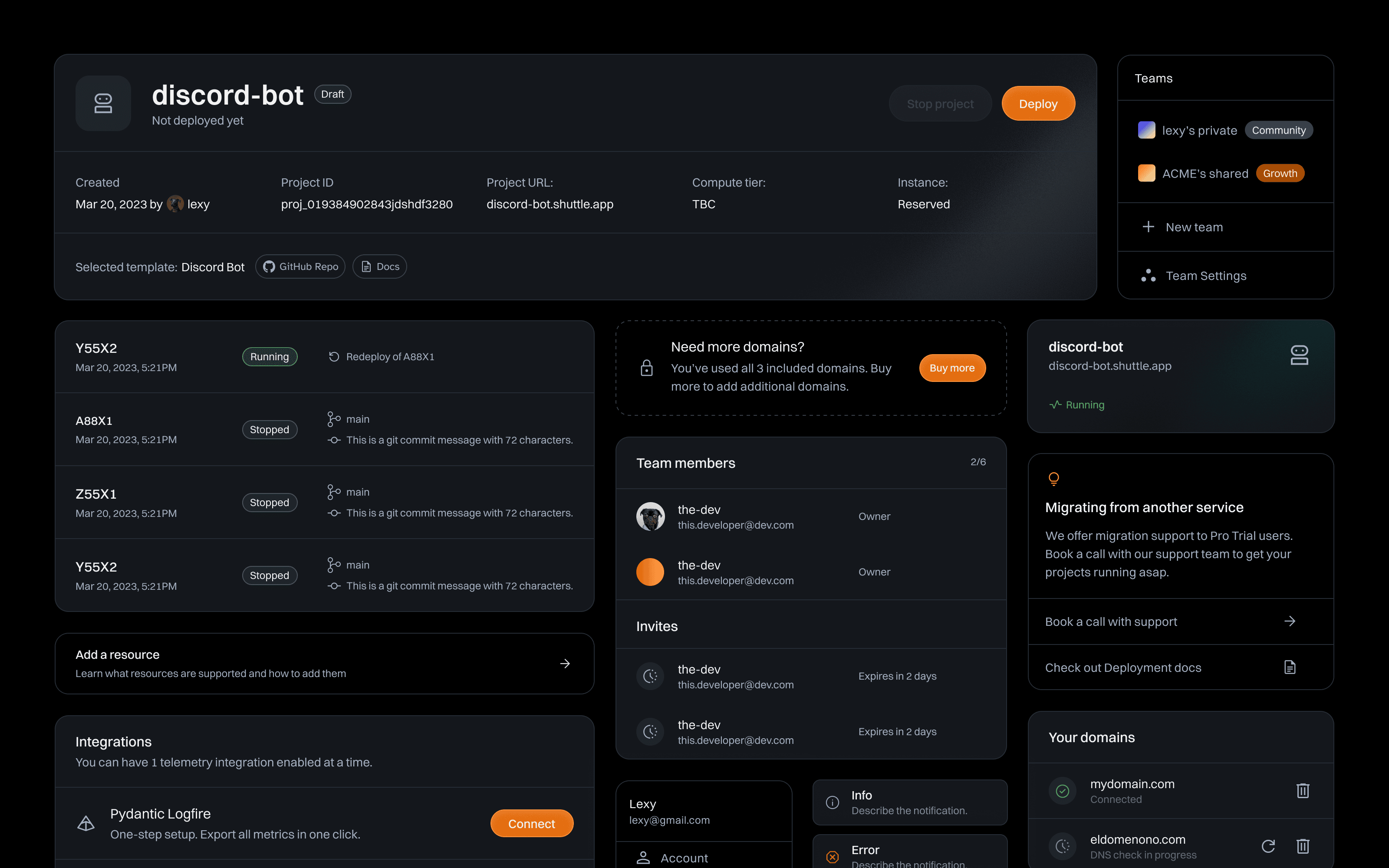
Taming the UI (a.k.a. 62 borders later)
The first step was deciding what should even exist in the UI toolkit. We aligned on a small set of primitives and forced everything through that lens:
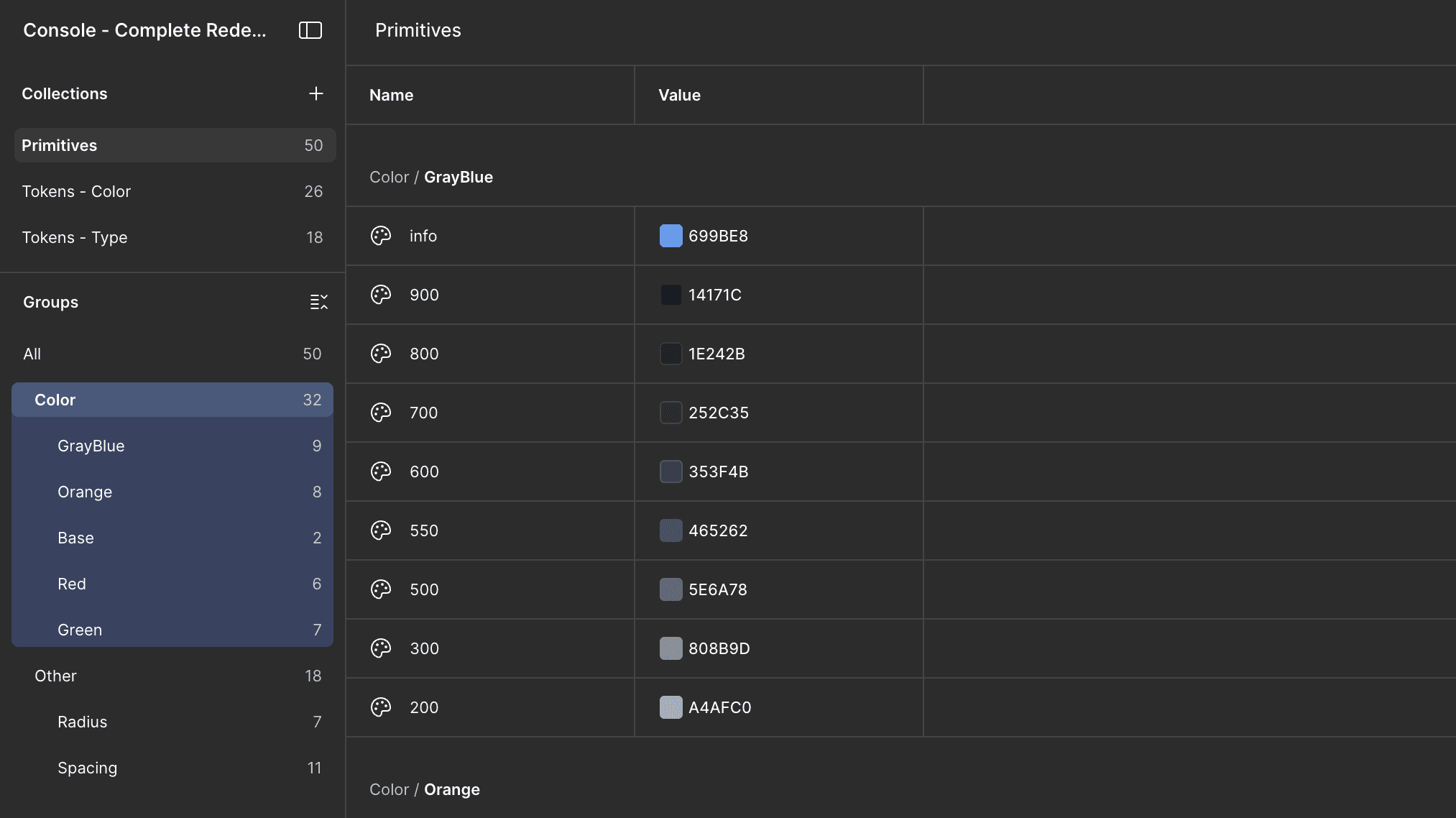
- A tighter token set for colors, radii, spacing and typography. Enough to express hierarchy, not enough to improvise a new card style every Tuesday.
- A single card language for panels, tables and detail views, so new features “snap into” the existing layout instead of inventing their own.
- Navigation and page headers that follow the same pattern across the console — you always know where you are and what you can do from there.
The result: less time deciding which gray to use, more time actually designing workflows.
See it in motion: Perfect for getting a feel for the flows in under a minute.
What it unlocked
For smaller teams, the console now feels calmer and more direct. You're never more than a click away from the things you actually care about: deployments, logs, domains and resources.
For heavier users, it's finally something that scales: clearer structure, predictable patterns, and a design language that can keep up with the platform instead of fighting it.
And for the team, it's a UI foundation that's a lot less “which border is this” and a lot more “cool, we can ship this”.